Monitoring, performance and overlay tools
Installation
1
yay -S mangohud lib32-mangohud goverlay-bin gamemode lib32-gamemode
GameMode
Gamemode is a daemon and library combo for Linux that allows games to request a set of optimisations be temporarily applied to the host OS and/or a game process.
Configuration
Gamemode is configured via the following files, which are read and then merged in the following order:
/etc/gamemode.ini; for system-wide configuration~/gamemode.ini; for user-local configuration./gamemode.ini; for directory-local configuration like for one game only You can find a examplegamemode.iniconfig on FeralInteractive’s GitHub.
Add your user account to the gamemode-group and start the service afterwards.
1
2
sudo usermod -aG gamemode ${USER}
systemctl --user enable gamemoded.service && systemctl --user start gamemoded.service
Usage
To use GameMode for local game outside of any game launcher, e.g. for supertuxkart, run this terminal:
1
gamemoderun supertuxkart
To use it in Steam edit the launch option for the desired game to:
1
gamemoderun %command%
To use it in Lutris, Bottles or Heroic Games Launcher there is an option available. You’ll find it somewhere in the game settings on all launchers, like Lutris for instance: Right-click on Starter Prefix > Configure > System settings > under Processor called "Activate Feral GameMode.
Troubleshooting
To test the GameMode configuration you can simply run:
1
gamemoded -t
If gamemode does not run try to make it executable:
1
sudo chmod +x /usr/bin/gamemoderun
If gamemoderun does not work for you in Steam try this as a launch command:
1
LD_PRELOAD=$LD_PRELOAD:/usr/lib/x86_64-linux-gnu/libgamemodeauto.so.0 %command%
MangoHud
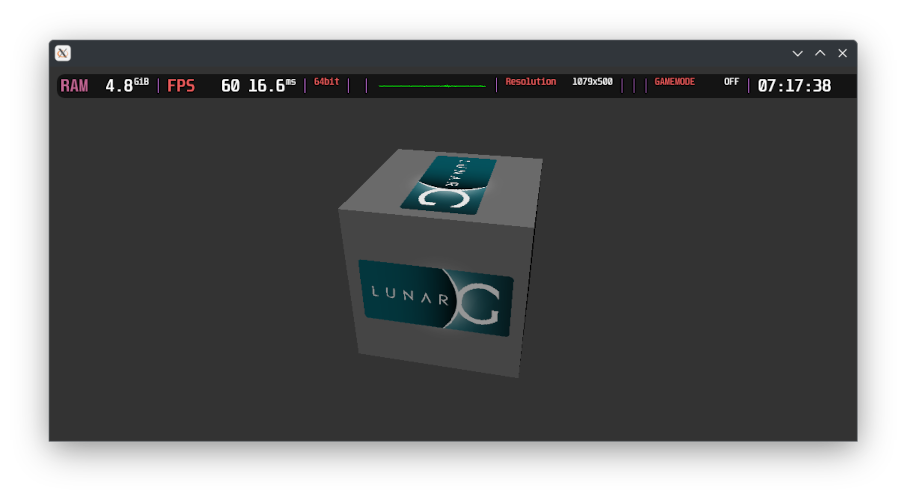
MangoHud is a Vulkan and OpenGL overlay for monitoring system performance while inside applications and to record metrics for benchmarking.
Configuration
To activate MangoHud globally on all Vulkan applications edit /etc/environment
1
MANGOHUD=1
I personally don’t like this option because you can enable it also per-game in nearly all available game launchers.
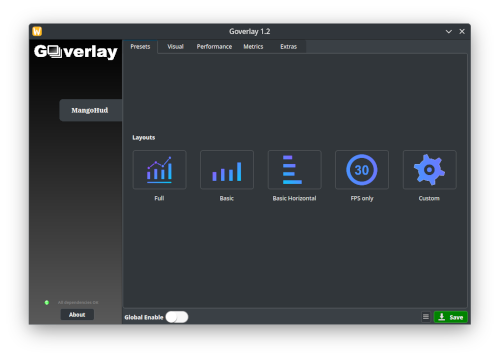
GOverlay
GOverlay is an open source project aimed to create a Graphical UI to manage Vulkan/OpenGL overlays. It is still in early development, so it lacks a lot of features.